
Search Blog
We tested Google Stitch on our own website: here’s what the AI design tool actually produces

April 2, 2026
Quick summary: Google Stitch is a free AI design tool (stitch.withgoogle.com) from Google Labs that generates UI designs from text descriptions or image uploads, then exports clean Tailwind HTML or Figma files. We ran four structured tests using our own Smashed Avo homepage as the benchmark. Image upload produced near pixel-accurate results. Text prompts were hit and miss. The HTML export is genuinely usable. Best suited for rapid concept validation and designer briefing — not production design.
The design communication problem nobody talks about
There’s a gap between the design in your head and the design that ends up on screen.
It’s not a designer problem. It’s a language problem. Design is visual and the words we use to describe it are imprecise. “Modern but warm.” “Clean but not cold.” “Like that site, but more us.” These phrases mean something to the person saying them and almost nothing useful to the person hearing them.
The result is revision cycles. Misaligned expectations. Mockups that are close but not quite right, followed by feedback sessions that are hard to articulate, followed by more mockups.
We’ve been building ecommerce sites since 2018. We still run into this regularly, both in how we brief designers internally and in how clients communicate with us. If there’s a tool that closes even part of that gap, we want to know about it.
When Google Labs released Stitch — a free AI design tool at stitch.withgoogle.com — we tested it properly. Four structured tests, our own homepage as the benchmark, honest assessment of what worked and what didn’t.
Here’s the full breakdown.
What Google Stitch actually is
Stitch is a free AI design tool from Google Labs, powered by Gemini. You give it a text description or upload an image, and it generates a UI design for a web page or app. From there you can refine it with follow-up prompts, preview it across mobile, tablet, and desktop breakpoints, and export it in several formats.
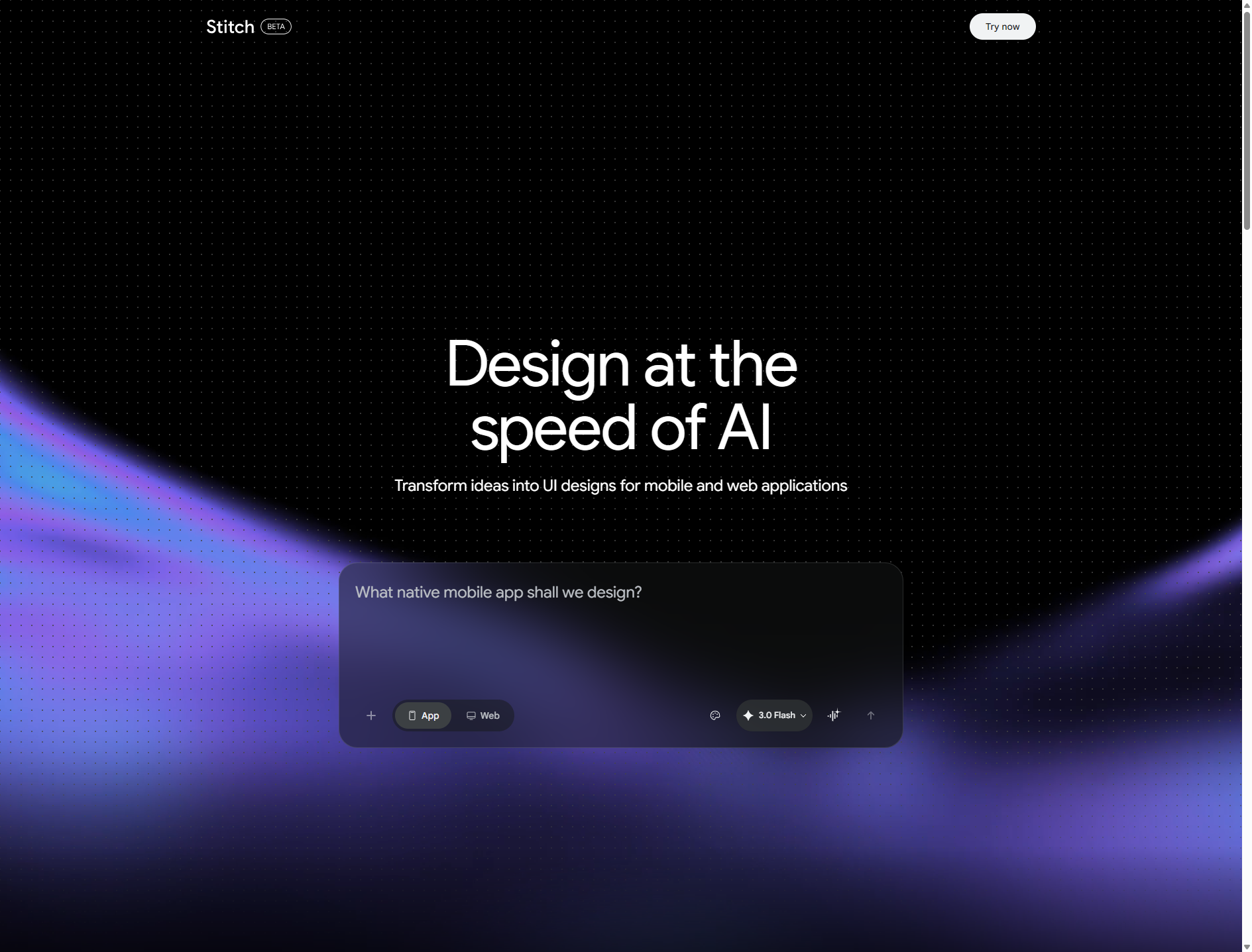
Export options include:
- HTML/CSS (Tailwind)
- Figma
- Google Jules (Google’s coding agent)
- AI Studio
- Zip download (includes a DESIGN.md rationale document)
- Code to clipboard
- MCP (Model Context Protocol)
- Project brief
- Instant prototypes
It’s in Google Labs, which means it’s free while the experiment runs. No subscription, no credit system. That alone makes it worth knowing about.
It’s worth being clear about what it is and isn’t. Stitch is a concept-to-prototype tool. It’s not a production design tool. It won’t replace a designer. But it can dramatically shorten the time between “here’s a rough idea” and “here’s something you can react to.”
Our test methodology
We didn’t use a generic or unfamiliar site as our test subject. We used our own homepage — the Smashed Avo website — because we know it in detail and could judge the accuracy of what Stitch produced.
Our homepage is built on Astro. Key design elements:
- Hero section with the headline “E-commerce that actually converts”
- Sage green accent colour (#6E9367)
- Split layout with dark abstract imagery on the right panel
- Metrics bar with real performance numbers ($9.3M+, 4.88%, 5.0)
- Pill-shaped CTA buttons
- Services bento grid — “Problems we solve every day” — with 7 cards containing customer pain point quotes
- Process timeline section
- Dark CTA section at the bottom
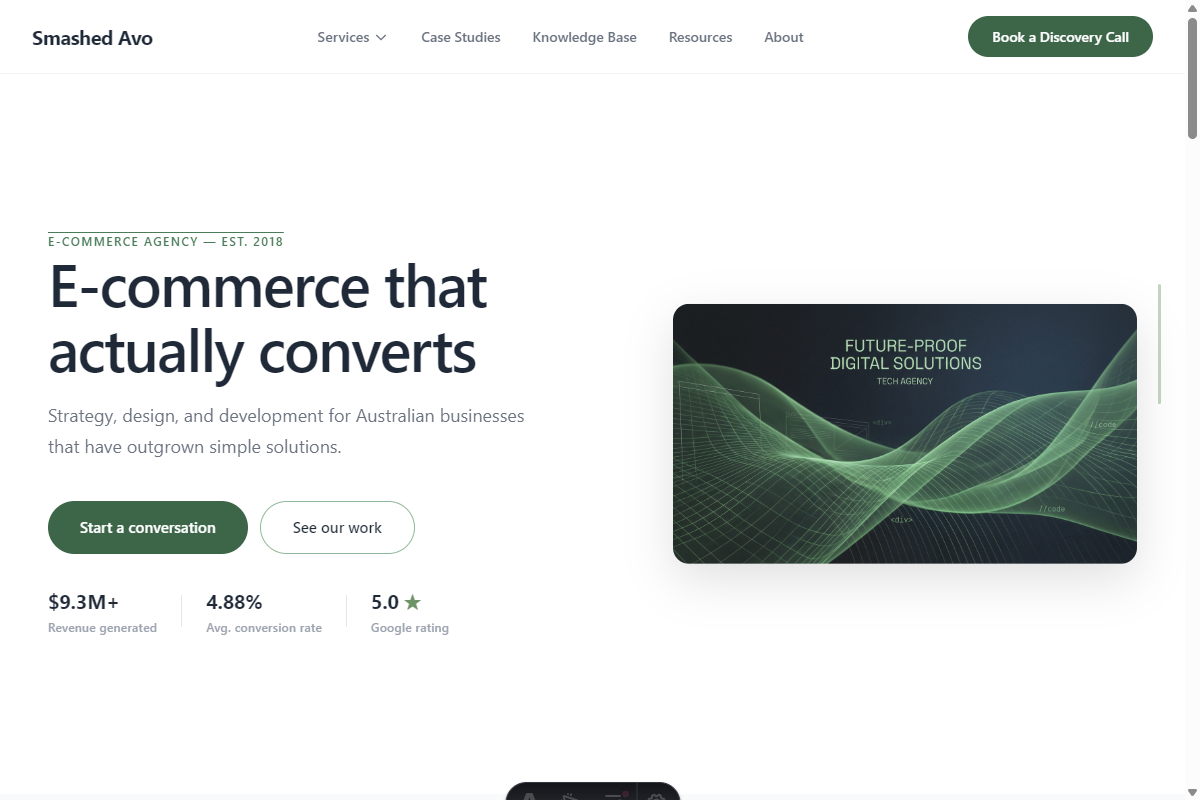
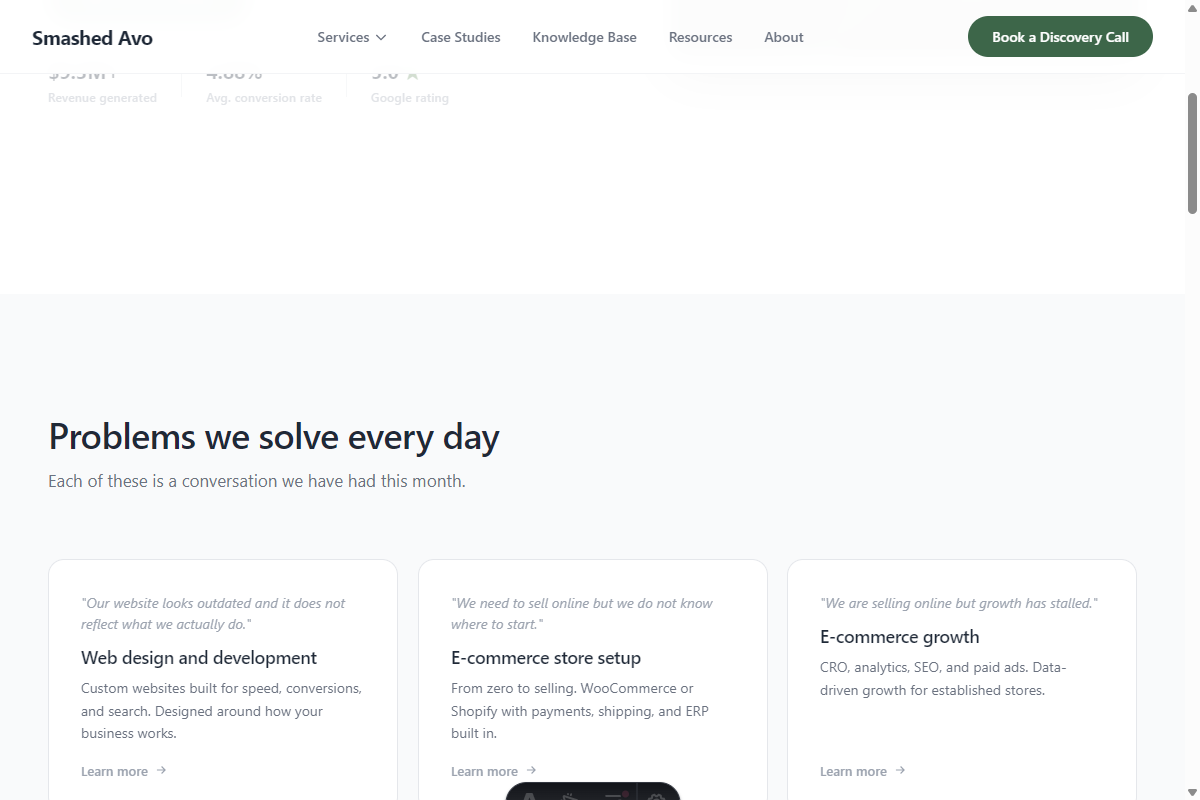
We ran four tests: text prompt for the hero, text prompt for the services grid, image upload of the full homepage, and code export review.
Test 1: Text prompt for the hero section
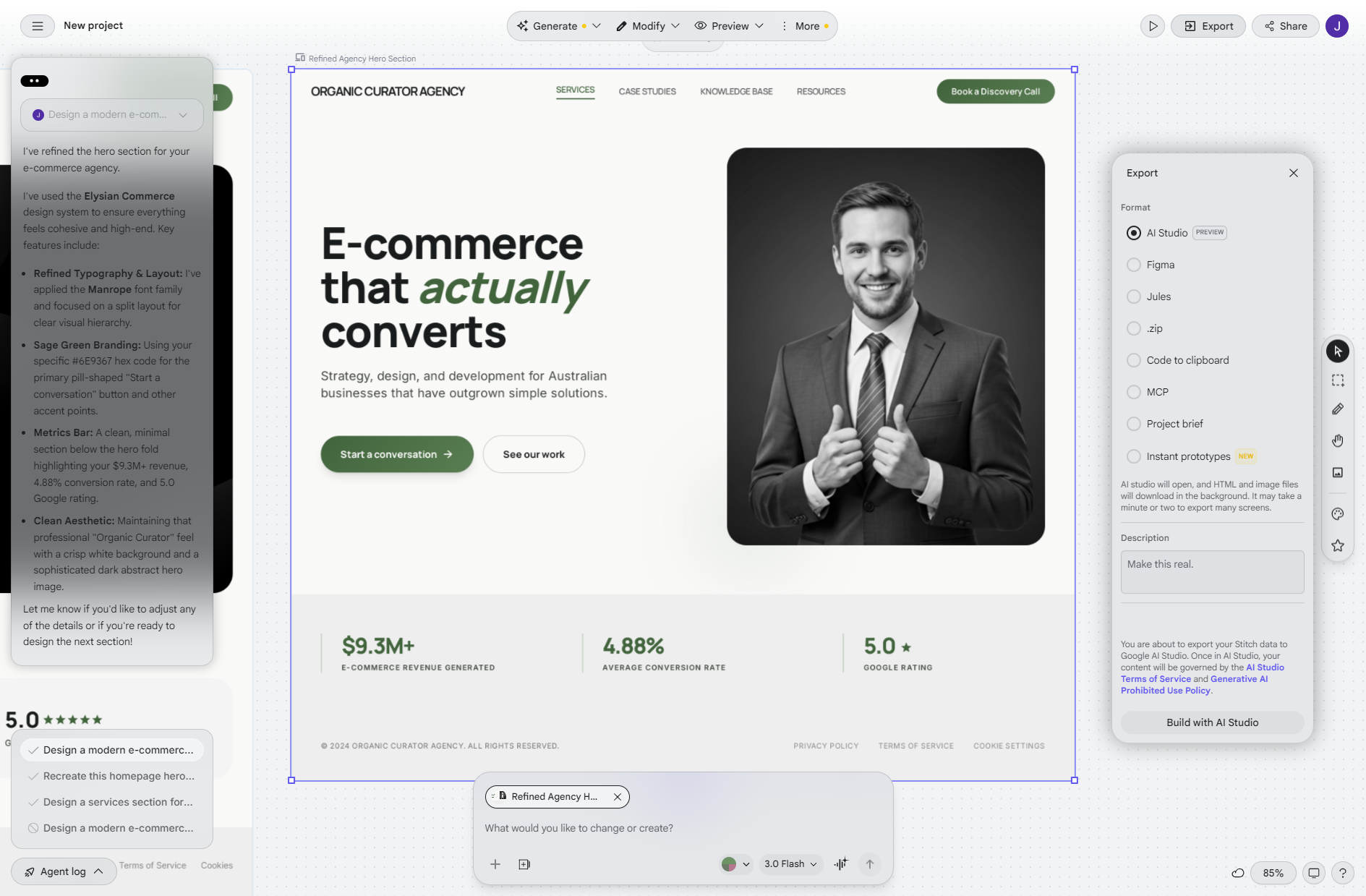
We described the hero section in specific detail. Split layout, specific headline copy, sage green as the dominant accent, abstract dark imagery on the right, metrics bar with our actual numbers, pill-shaped CTA buttons.
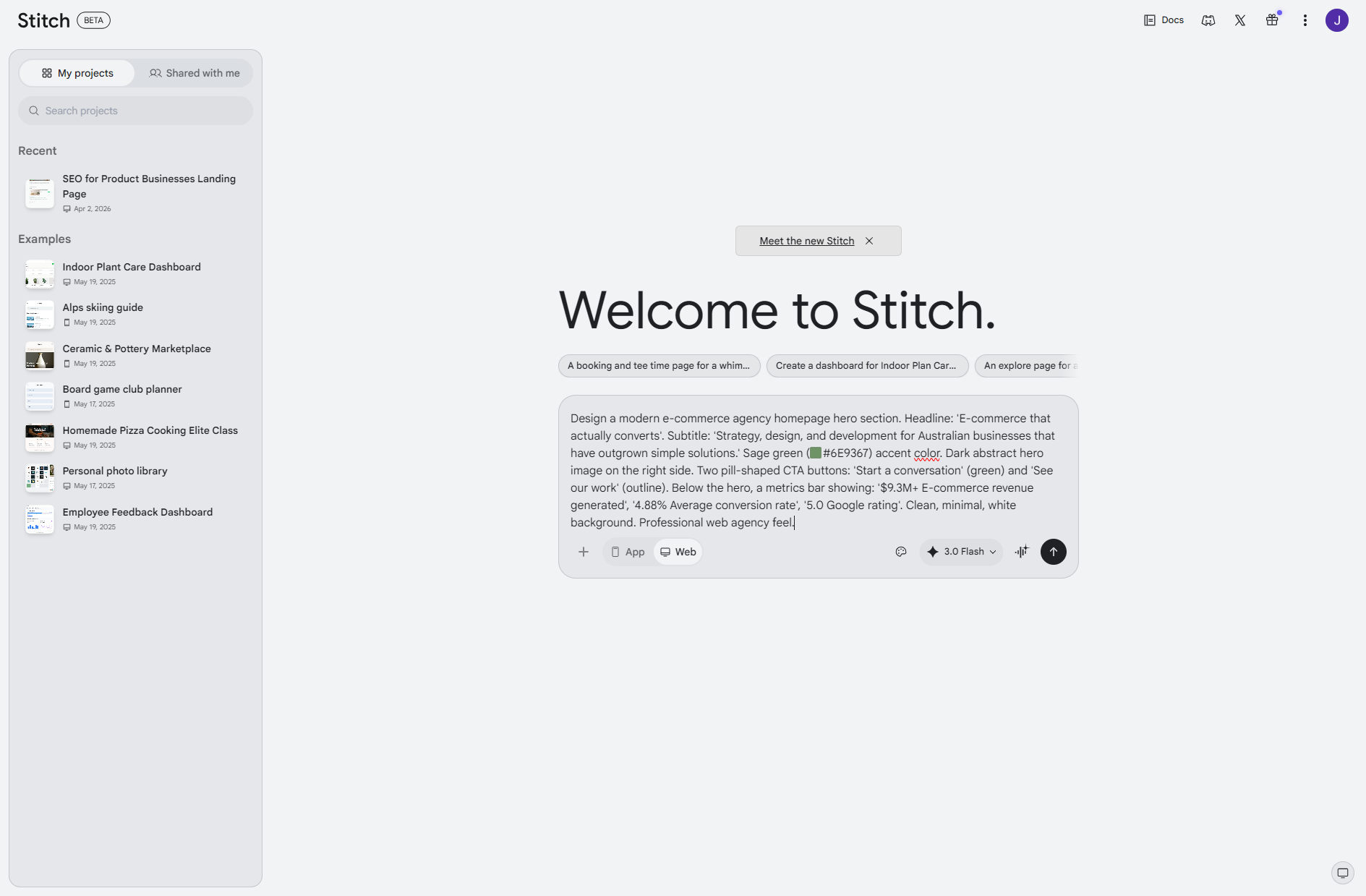
First attempt failed with a generic “Something unexpected happened” error. Retry worked fine — worth knowing upfront.
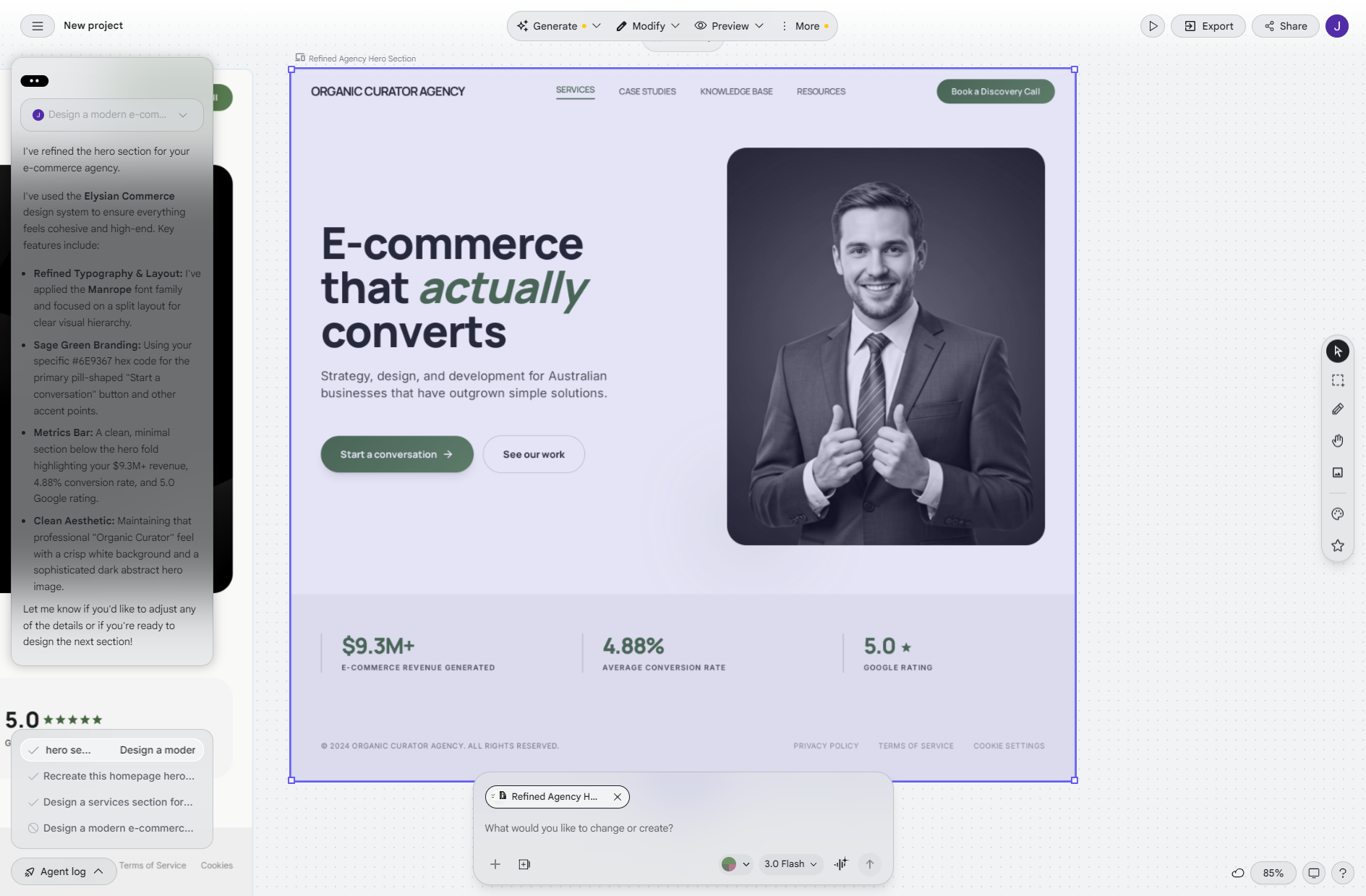
What it got right: The structural logic was solid. Split layout, headline positioned correctly, supporting copy underneath, metrics bar present, CTA buttons in the right place.
What it got wrong: It applied its own design system. A purple/lavender tint from its built-in “Elysian Commerce” design palette appeared despite our sage green brief. It also added italic green styling on the word “actually” in the headline — unprompted — which may or may not align with the brief depending on who you ask.
Verdict: Structurally useful, but text-only prompts struggle to enforce specific brand values. If your colour palette is vague, this works well. If you have exact brand requirements, the tool’s built-in design systems can drift in and override what you specified.
Test 2: Text prompt for the services bento grid
This was the test I expected to go worst. Bento grids with specific card counts and quoted content feel like exactly the kind of thing an AI would approximate rather than get right.
The prompt asked for a bento grid layout with the heading “Problems we solve every day,” seven service cards, customer pain point quotes in italics within each card, and sage green accent treatment.
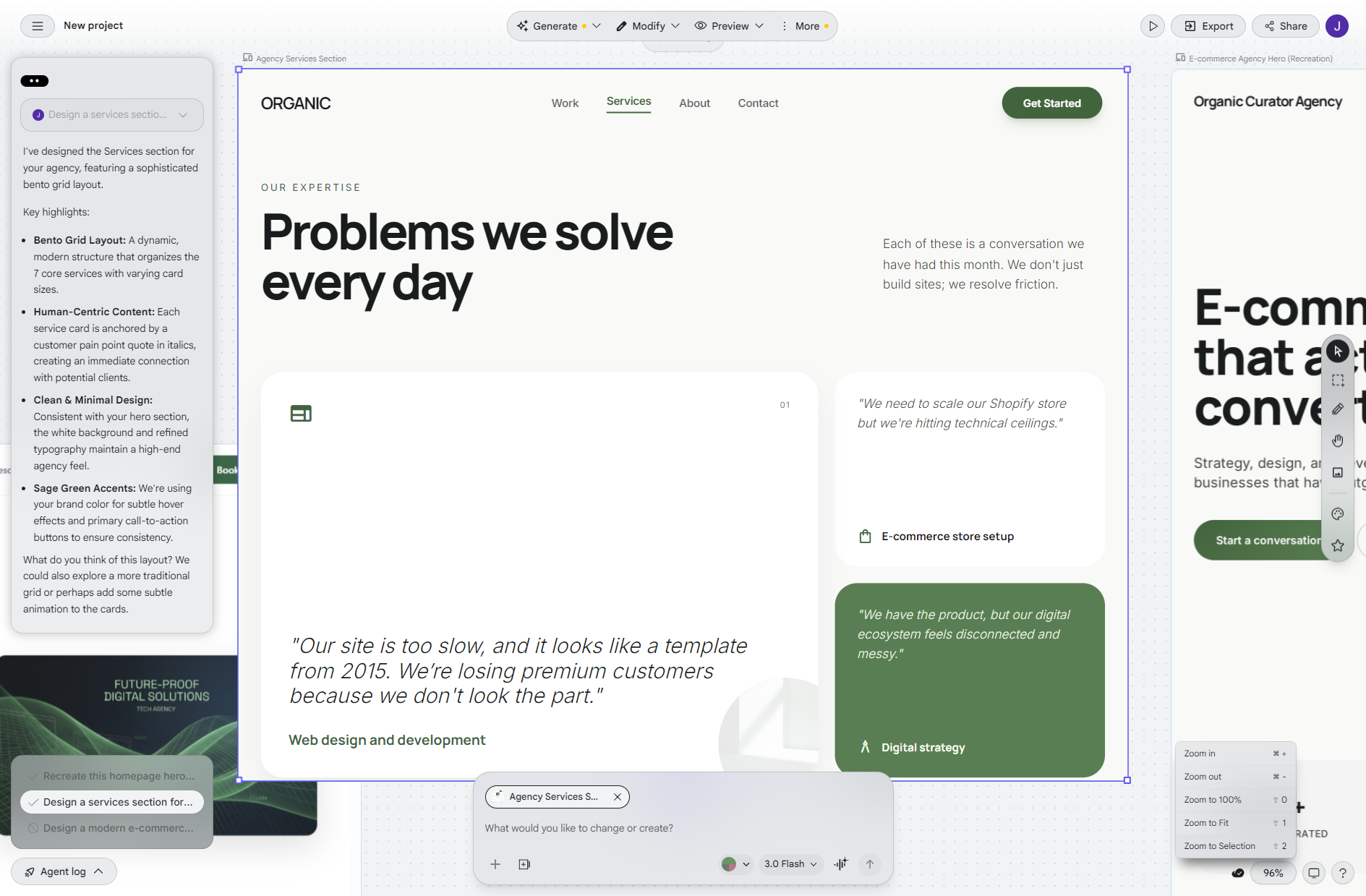
What it got right: All 7 services present. Correct heading. Customer pain quotes rendered in italics as specified. Sage green accent colours throughout the grid. The visual hierarchy between card titles and supporting copy was handled well.
What it got wrong: It used “ORGANIC” as a placeholder agency name rather than “Smashed Avo.” Minor, but worth knowing — it doesn’t carry your brand name forward from context.
This was the strongest result of the four tests. The kind of output that would take a designer an hour or more to mock up in Figma arrived in roughly 90 seconds. For a text-only prompt, the accuracy was genuinely surprising.
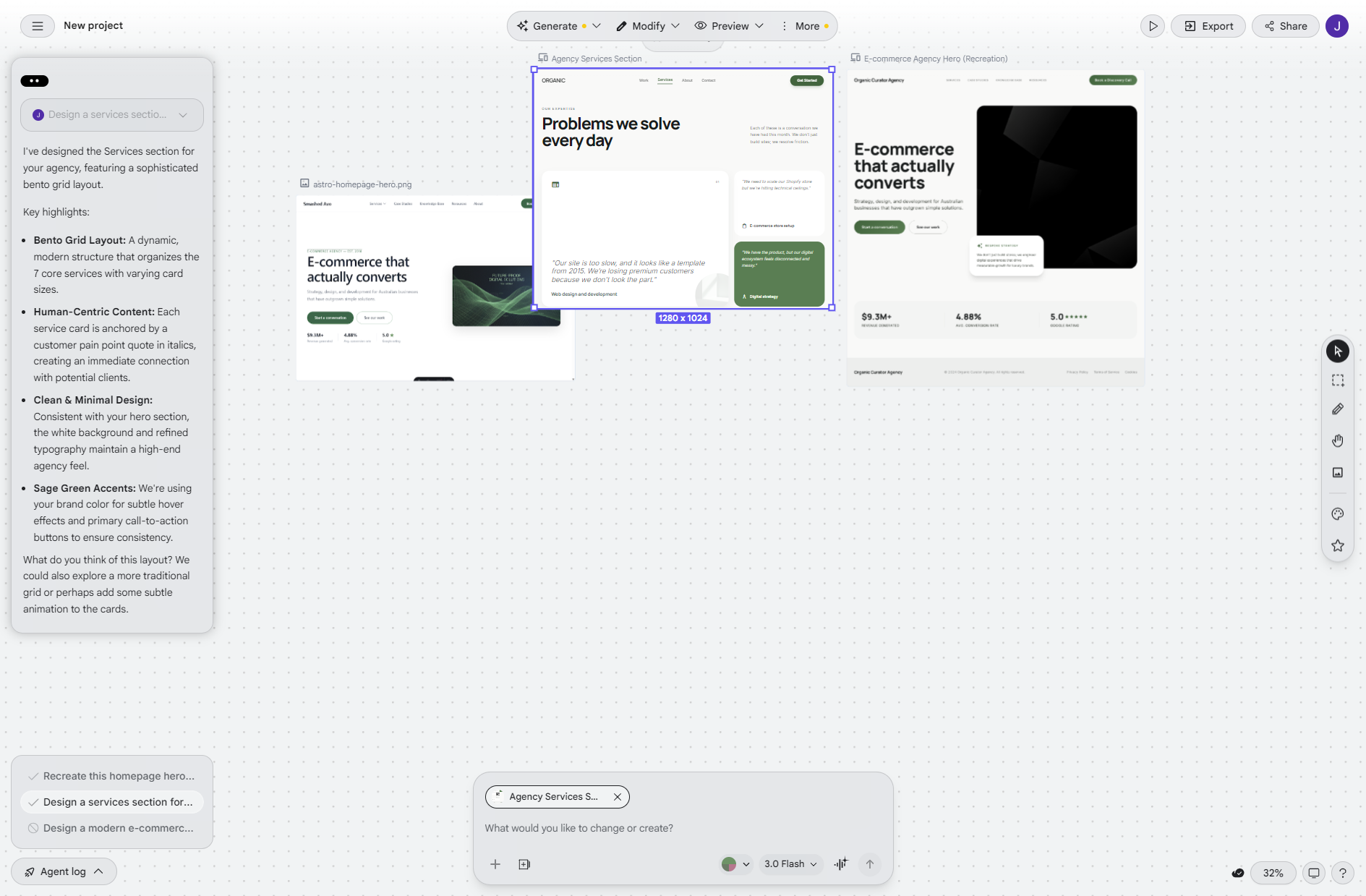
Verdict: Excellent. If you’re working with grid-based layouts and can describe the content clearly, Stitch handles this well from text alone.
Test 3: Image upload — the result that changed our view of the tool
For test 3, we uploaded a screenshot of our actual homepage and asked Stitch to recreate it.
This is where the tool showed what it’s genuinely capable of.
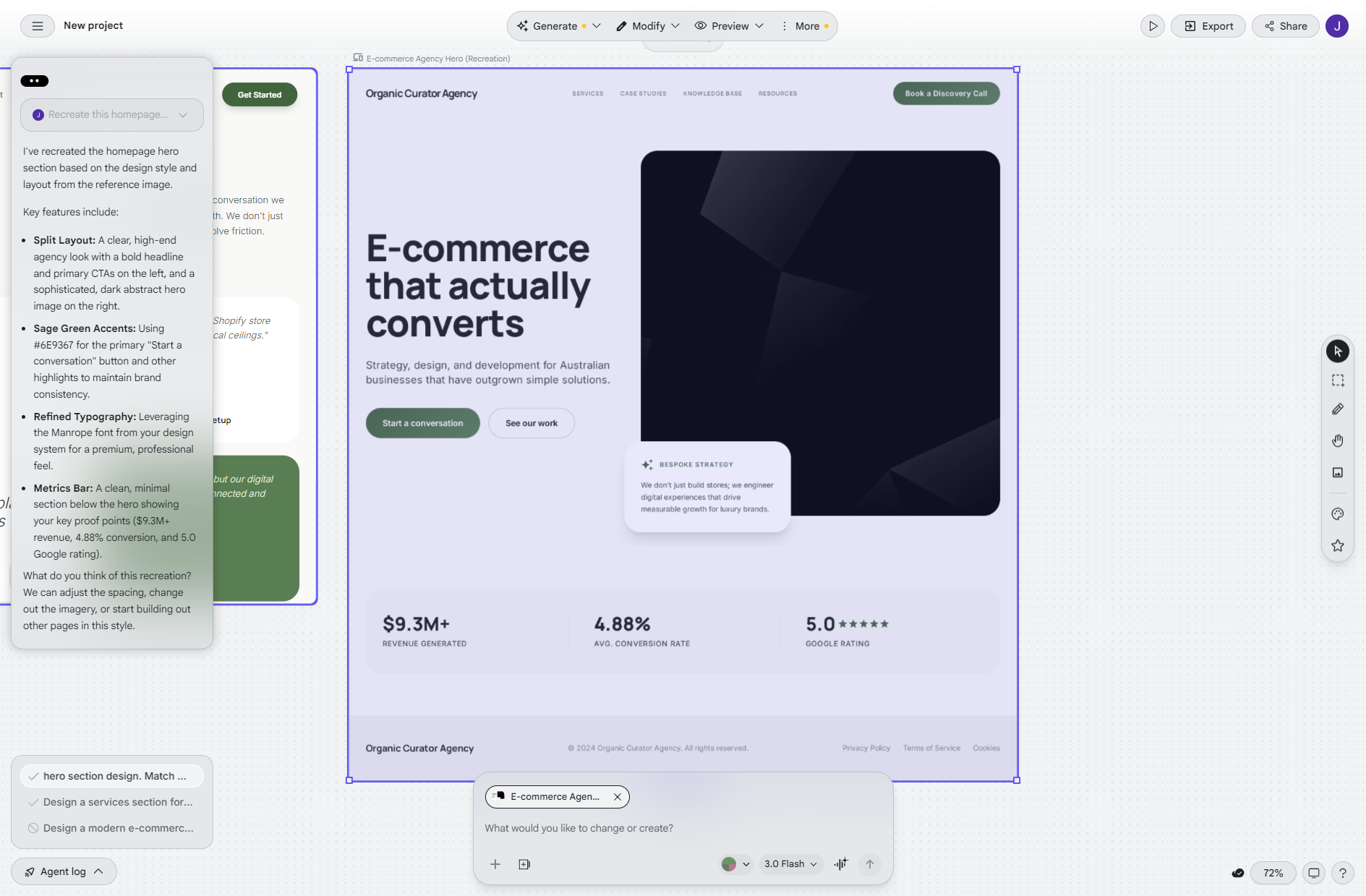
The result was near pixel-accurate. Specifically:
- Correct split layout with the dark abstract image panel on the right
- Exact metrics reproduced: $9.3M+, 4.88%, 5.0
- Both pill-shaped CTA buttons with the correct labels
- Sage green accent colour carried through correctly
- Headline positioned correctly within the left panel
It also inferred a floating “Bespoke Strategy” card that it read from contextual signals in the design — something we hadn’t explicitly asked for in the prompt. Whether that’s impressive or presumptuous depends on your perspective. For our purposes, it read the design intent correctly.
The difference between text-only prompts and image input is significant. If you have a design you’re working from — even a rough sketch or a competitor’s site you’re referencing — uploading it produces meaningfully better results than describing it.
Verdict: This is the use case that makes Stitch genuinely valuable. Screenshot in, faithful recreation out. Fast enough to do it live in a client meeting.
Test 4: Code export — is it actually usable?
A lot of AI design tools generate visually convincing mockups that fall apart the moment a developer tries to work with the output. We exported the code to see where Stitch sits.
The HTML export was 172 lines of clean Tailwind CSS. Specifics worth noting:
- Manrope and Inter fonts, correctly specified
- Sage green colour values accurate to our brief
- Responsive layout — mobile, tablet, and desktop breakpoints handled
- Semantic HTML structure
The zip download included a DESIGN.md file with the full design rationale: typography scale, colour system, component specs, spacing principles. This is the kind of documentation that usually takes a designer hours to produce separately. Having it auto-generated from the same design session is genuinely useful for handoffs.
One limitation: the stock photo URLs in the export are Google-served and won’t persist in production. You’d need to replace those with real assets before using the code in a live environment. Everything else in the export is solid.
Verdict: Better than we expected. Not production-ready without a developer’s touch, but a legitimate starting point rather than throwaway code.
Practical applications: who should use this and when
Business owners briefing designers
The biggest value here might be for non-designers trying to communicate a visual idea. Instead of describing what you want — and hoping the designer interprets it the way you intended — generate a rough version in Stitch and say “something like this, but with our actual brand and different imagery.” One image is worth the revision cycle.
Agencies presenting concepts to clients
Getting from a brief to a clickable prototype before the first client meeting used to take hours of designer time. Stitch can get you to “rough concept to react to” in a fraction of that. It won’t be pixel-perfect, but it’s enough to align on direction before investing real design hours.
Developers validating a layout idea
The Tailwind export is a legitimate dev handoff starting point. If a developer has a rough layout concept they want to test before committing hours to it, Stitch can generate the scaffold quickly. Replace the stock imagery, plug in real content, refine the details.
Pitch decks and proposals
Showing a prospective client a rough visual concept alongside a written proposal is significantly more compelling than words alone. Stitch makes that fast enough to be practical even for early-stage pitches where the investment of formal design hours isn’t justified yet.
Limitations — being honest about where it falls short
We found several real limitations during testing. Worth knowing before you rely on the tool.
Generation failures happen. We hit a “Something unexpected happened” error on our first test 1 attempt. The retry worked, but it’s worth expecting occasional failures rather than building a workflow that assumes it always runs first try.
Built-in design systems can override your brief. Stitch has its own design system personalities. If your colour brief conflicts with the aesthetic it’s defaulting to, yours might not win — particularly with text-only prompts. Image input is more reliable for brand-specific work.
Stock imagery doesn’t persist. The images it places in designs are Google-served URLs. They’ll load during prototyping but aren’t suitable for production. Plan to replace all imagery before using any export in a live environment.
It doesn’t replace a trained designer. The output needs a skilled eye to refine. Spacing decisions, typographic hierarchy, interactive states, accessibility, animation, edge cases — none of that is handled. Stitch gives you a strong visual shape, not a finished design.
It’s in Google Labs. Free right now, but there’s no guarantee about pricing, availability, or feature changes. Don’t build a critical agency workflow around it without that caveat in mind.
How to try it yourself
- Go to stitch.withgoogle.com — you’ll need a Google account
- Choose “Web” mode (rather than mobile app)
- Start with image input if you have an existing design or screenshot to reference — the results are significantly better than text-only
- If using text, be specific: layout structure, colour values, number of elements, typography intent. Vague prompts produce generic results
- Use “Modify” mode to refine with follow-up prompts rather than starting over
- Check the responsive preview before exporting — it shows mobile, tablet, and desktop breakpoints
- Export as zip to get the DESIGN.md rationale document alongside the code — useful for designer or developer briefing
- Replace stock image URLs before using any exported code in a live environment
Our overall verdict
Stitch is the fastest free tool we’ve tested for getting from concept to something you can show someone. The image upload path in particular produces results that surprised us — near pixel-accurate recreation from a single screenshot, with clean Tailwind export that’s genuinely usable as a development starting point.
The limitations are real. Occasional failures, design system drift on text prompts, stock imagery that won’t persist in production. This isn’t the tool you use for final deliverables.
But as a communication tool — something that closes the gap between the design in your head and something you can put in front of another person — it earns a place in the toolkit. Especially for business owners who struggle to articulate design direction, or agencies that need a fast concept to react to before formal design work begins.
For concept validation, client alignment, and designer briefing, it’s the fastest option we’ve found.
Want help with your ecommerce site?
Smashed Avo is a Melbourne-based WooCommerce agency. We specialise in complex ecommerce builds — manufacturers, distributors, and wholesalers who need more than an off-the-shelf solution. ERP integrations, custom pricing rules, trade portals, multi-warehouse inventory.
If your current site is underperforming or your ecommerce setup isn’t keeping up with your business, we’d be happy to talk through it.
Crafting bespoke digital experiences to drive growth and delight your customers
Quick Links
Policies

